School Enrollment Form
Enrollment intake for new students with guardian contacts, grade placement, and health disclosures.
Use online
- Field list you can copy into any form builder
- One-click templates on forms.app and Jotform
- Share a link or embed on your event website
Quick answer
School Enrollment Form helps teams collect structured signups instead of scattered emails. Use the field list below as a starting point, then open the ready-made form on forms.app or Jotform to publish in minutes.
Last updated . Reviewed by the Free Registration Form team.
About this template
A School Enrollment Form gives organizers a consistent layout for every signup. Enrollment intake for new students with guardian contacts, grade placement, and health disclosures.
Unlike a free-text email or social post, a dedicated form separates contact details from program-specific questions so staff can sort, export, and follow up without retyping data. Most teams publish the online version for remote signups and keep a printed copy at check-in for walk-ins.
Typical fields
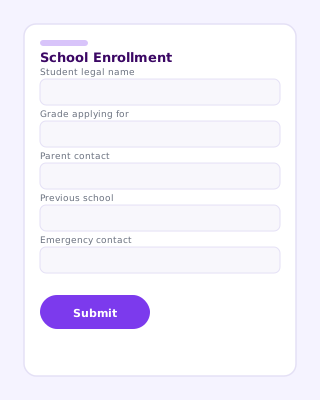
- Student legal name
- Date of birth
- Grade applying for
- Previous school
- Parent / guardian name
- Primary phone and email
- Home address
- Emergency contacts
- Medical conditions / allergies
- Immunization record upload
- Enrollment agreement signature
Best for
- K–12 private schools
- Charter school intake
- Preschool enrollment
- After-school program registration
When to use an online registration form
Choose an online form when you need automatic email notifications, payment collection, file uploads, or a shareable link for social media. PDF and printable versions work well for in-person sign-up tables — export from your form builder or recreate using the field list above.
Common questions
What documents should school enrollment forms request?
Common uploads include birth certificate copies, immunization records, and previous report cards. Only collect documents your district actually requires.
How do schools handle sibling enrollment?
Add a repeating section or a yes/no field for siblings currently enrolled, then link family records in your SIS after export.
Are digital enrollment signatures valid?
Many districts accept e-signatures on enrollment agreements. Confirm with your counsel; forms.app and Jotform both support signature fields.