Workshop Signup Form
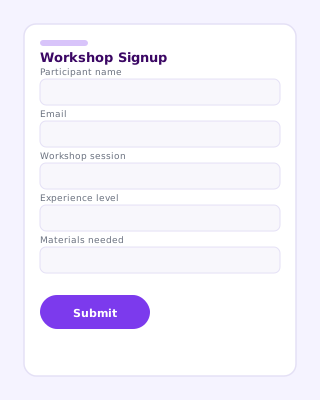
Signup sheet for hands-on workshops with session slots, skill levels, and material requirements.
Use online
- Field list you can copy into any form builder
- One-click templates on forms.app and Jotform
- Share a link or embed on your event website
Quick answer
Workshop Signup Form helps teams collect structured signups instead of scattered emails. Use the field list below as a starting point, then open the ready-made form on forms.app or Jotform to publish in minutes.
Last updated . Reviewed by the Free Registration Form team.
About this template
A Workshop Signup Form gives organizers a consistent layout for every signup. Signup sheet for hands-on workshops with session slots, skill levels, and material requirements.
Unlike a free-text email or social post, a dedicated form separates contact details from program-specific questions so staff can sort, export, and follow up without retyping data. Most teams publish the online version for remote signups and keep a printed copy at check-in for walk-ins.
Typical fields
- Participant name
- Phone (optional)
- Workshop title / session
- Preferred date and time
- Experience level
- Learning goals
- Materials or equipment needed
- Emergency contact
- Waiver acknowledgment
Best for
- Creative workshops
- Training sessions
- Community classes
- Maker spaces and studios
When to use an online registration form
Choose an online form when you need automatic email notifications, payment collection, file uploads, or a shareable link for social media. PDF and printable versions work well for in-person sign-up tables — export from your form builder or recreate using the field list above.
Common questions
How is a workshop signup form different from event registration?
Workshop forms focus on a single session: skill level, materials, and learning goals matter more than ticket tiers or multi-day scheduling.
Should I cap workshop registrations?
Yes. Add a capacity field or close the form when seats fill. forms.app and Jotform both support submission limits and waitlists.
Can participants choose between session times?
Use a dropdown or radio field for session slots. Conditional logic can show materials lists only for advanced tracks.